

BPM software – Search Open SOP Certificates
VerityBeyond BPM - GRC Open Certificates
Certificates or certifications represent orders, cases, service request workflows initiated for identities, customers,
and / or customer assets.
Open certifications are those currently active or in progress (i.e., in-flight). The SOP certifications section
provides a comprehensive list of all orders or certifications along with their respective statuses. When an order is initiated a unique SOP order number is generated, e.g SOPR00010. This number can be used to reference the workflow case or request. An SOP case is the key data object for all requests, in addition you can attach documents, data audio, video etc to cases. Further shipping information, tracking information and other financial information can be associated with a case. Each workflow case follows the SOP design under which it was launched.
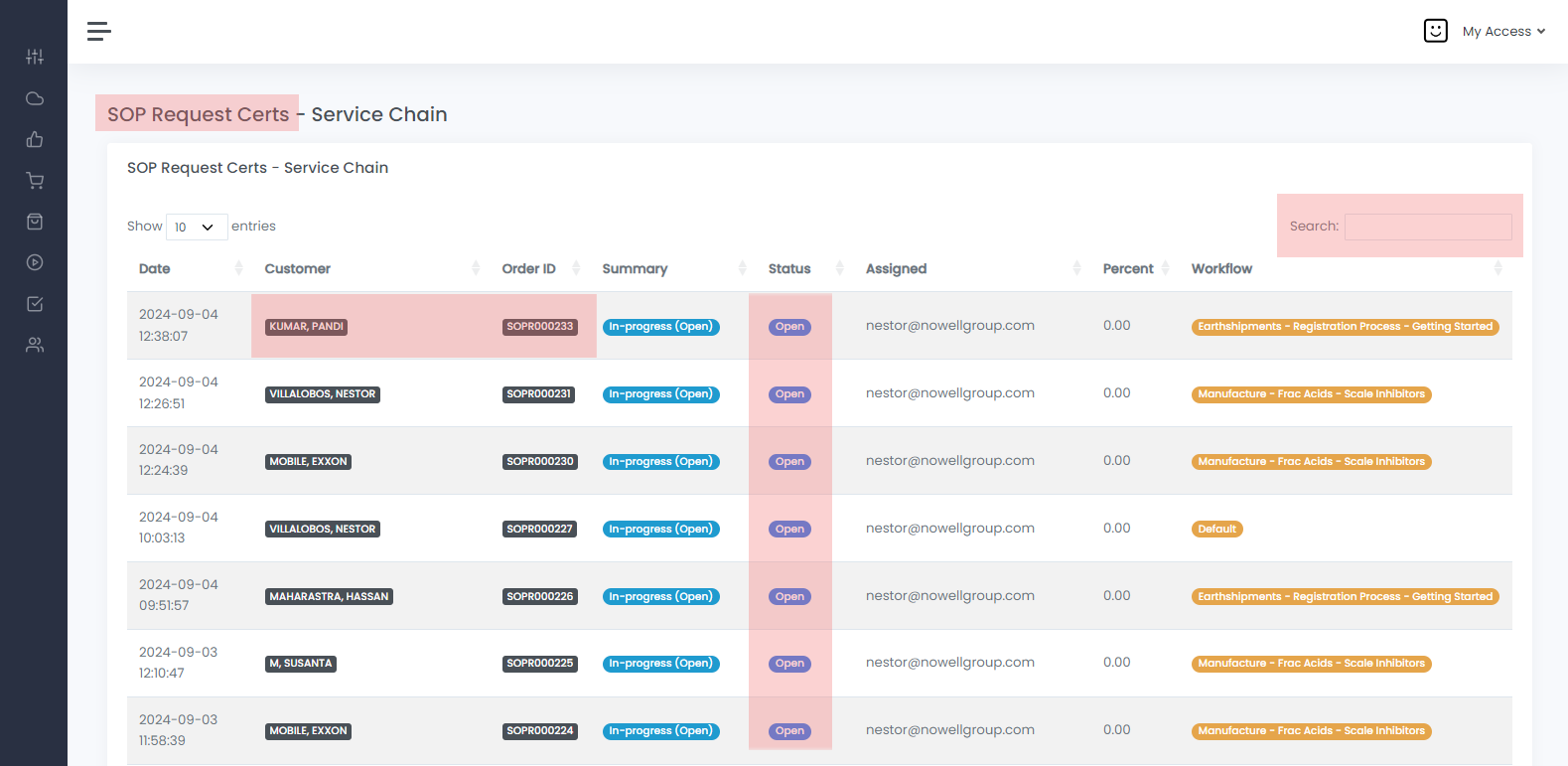
VerityBeyond BPM-GRC | Open Certificates
By clicking on the Open Certs you will see a list of all Open Certificatesthat have been created in the system.
 Search Open, Completed and In-Progress SOP Certificates
 SOP Certificates
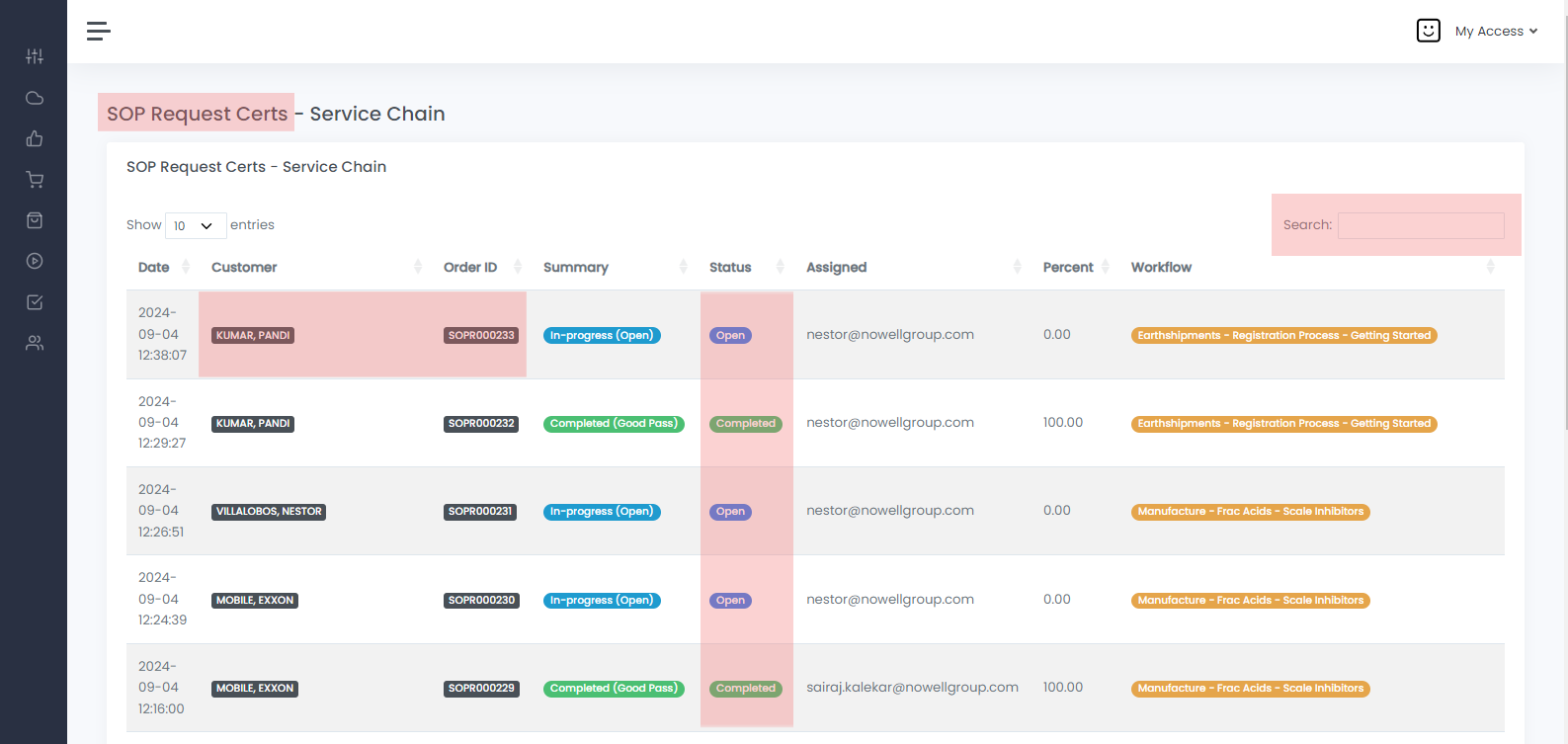
Searching for an SOP
Whenever you are searching for an SOP Certificate type in the search field the name of the customer link to it, SOP workflow name or ID
By clicking on the SOP Certs you will see a list of all Search Open, Completed and In-Progress SOP Certificates
that have been created in the system.
In both instances of Open Certs and SOP Certs
Always use the search field and type the Customer name, Site Name to quickly find the SOP. Click on the Customer name, Order ID to open the actual SOP Certificate Workflow.
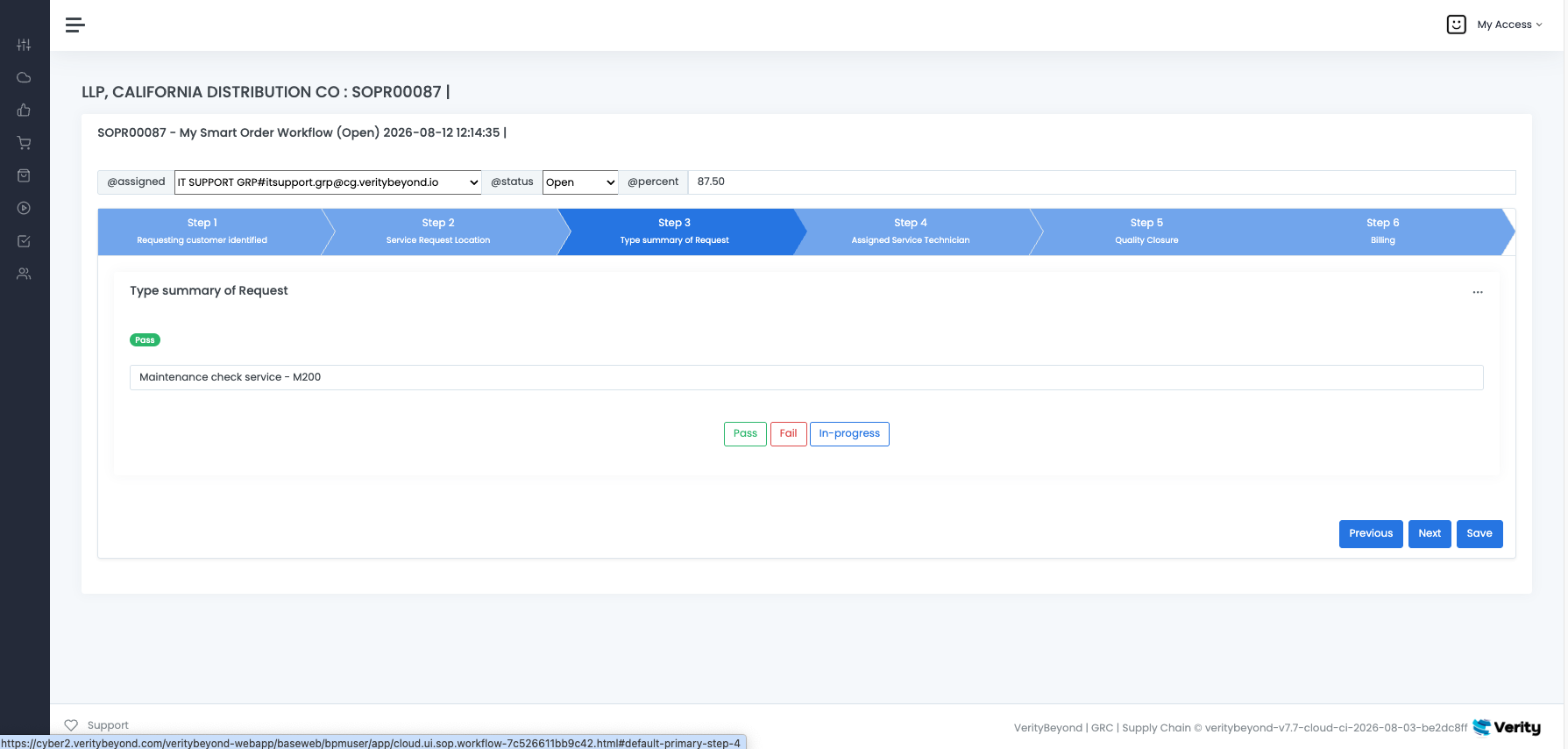
SOP Certificate Details
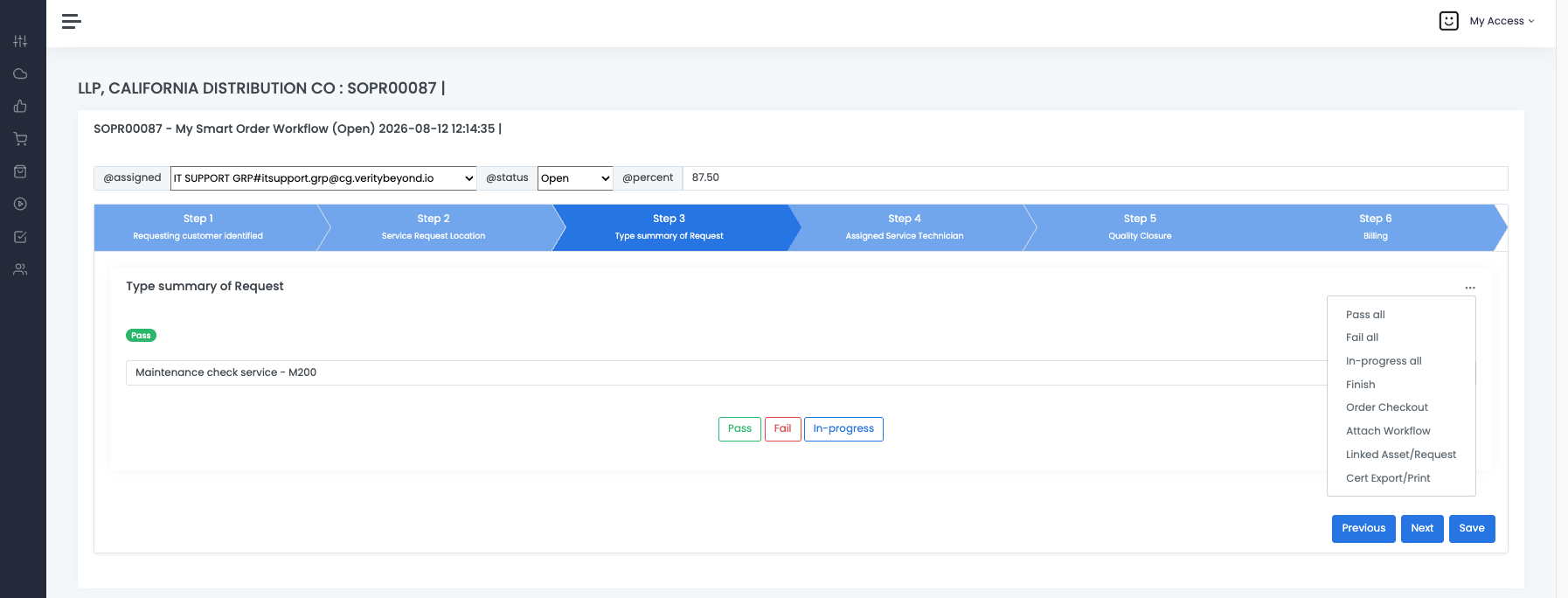
Next are the steps for the actual SOP documentation or Standard Operations Procedures Policy, add notes or changes to it in theNotes: section.
Select Pass, Fail or Progress accordingly, the click next or previous. Click Save to submit changes.
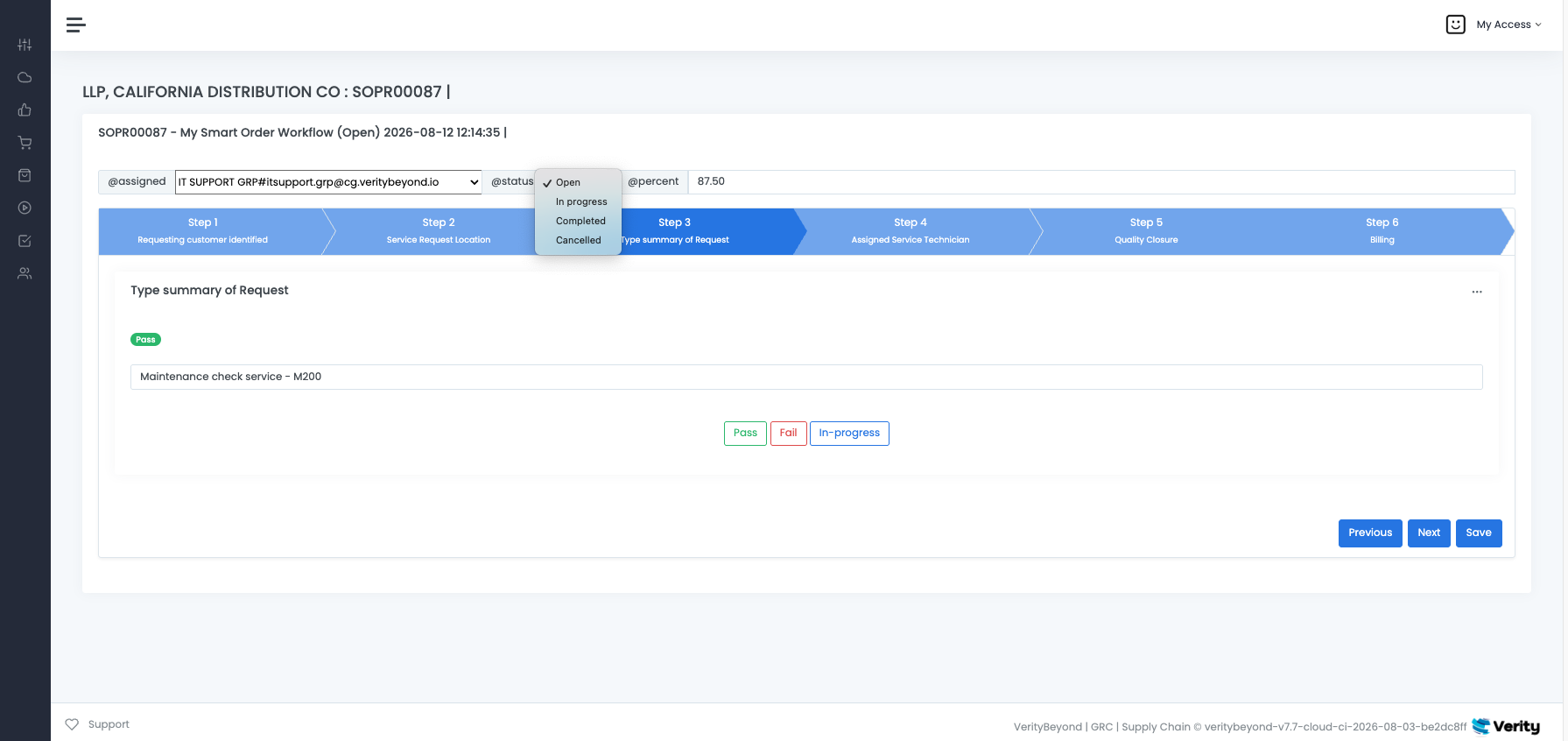
SOP Certificate Assigned and Status review Menu
Below you will see theAssigned pulldown menu, select from the list the person that you want to assigned this
SOP to. The next pulldown menu select the current Status of the SOP.
SOP Certificate Details
-
Click on the
Customer NameOrder ID to open the actual SOP Certificate Workflow, here you will see this page. Notice the upper left SOP name and SOP ID, these are seachable keywords. Below you will see theAssignedpulldown menu, select from the list the person that you want to assigned this SOP to. The next pulldown menu select the currentStatusof the SOP.
Advanced
-
The advanced section is represented by 3 dots in the user interface: "...". If the sailpoint integration is used, sailpoint applications and sources will come into VerityBeyond, from there you can link the hardware, and software assets, and run workflows for those assets. The important advanced elements are as follows:
-
Pass,Fail,In progress allPass all - will autoset all the steps in the workflow to pass, Fail all - similarly, will set all the steps in the workflow to fail, In progress all will set all the steps to in progress. Use the "all" actions to quickly complete a workflow case in a 'speedy' way. Note if we set a step to fail, if the workflow has a ServiceNow ITSM remediation queue, and the SNOW plugin is configured, a ServiceNow ticket will get generated and sent to the SNOW queue (ServiceNow integration) FinishThis is to be used when we want to complete a workflow. Its best practice to set it as FINISHED once the job is done-doneOrder check-outOpens up UI controls for creating a stock SKU order, a financial invoice, a shipping request, or some finanancial record associated with the SOP. If the order needs this, it can be associated to the SOPAttach workflowIf the SOP case needs documents or data attachments to be added to it, you can link all the documents for the case, the system handles automated versioning as well. Further if you need to add status updates, and progress notes so the team can collaborate , they can add it to the SOP case. This way the teams flows and collaborates in perfect harmony. Documents can be downloaded, and there is a lock feature that can be used if the owner of the SOP wants to make it readonly. If it is locked only the owner , assignee can make changes, no one else can make changes
-