

BPM software – Onboard and Manage Assets
VerityBeyond BPM - GRC Asset Management
On the menu bar under Manage Assets that will show all the assets that belong to the currently logged in user.
If the user is a privileged user, with asset admin privileges, then they will see assets belonging to other users.
To see assets belonging to a specific customer, select the Customer Manage Assets and this will show all the
assets belonging to a target customer.
To run a certification workflow for an asset, select the Asset Certify asset
Select workflow Start certification, this will initiate a certification workflow for the asset.
Example use cases for running a workflow certification for an asset include: availability, risk management, risk assessment, performance review, ITSM quality maintenance, proactive maintenance for safety, cybersecurity evaluation, operations risk performance review, cloud system ROOT CAUSE analysis and more. Site reliability engineers use VerityBeyond to make sure their assets and related systems are running at peak performance with minimal incidents. Due to proactive review issues are identified and resolved early before incidents arise, mitigating several operational risks and costs
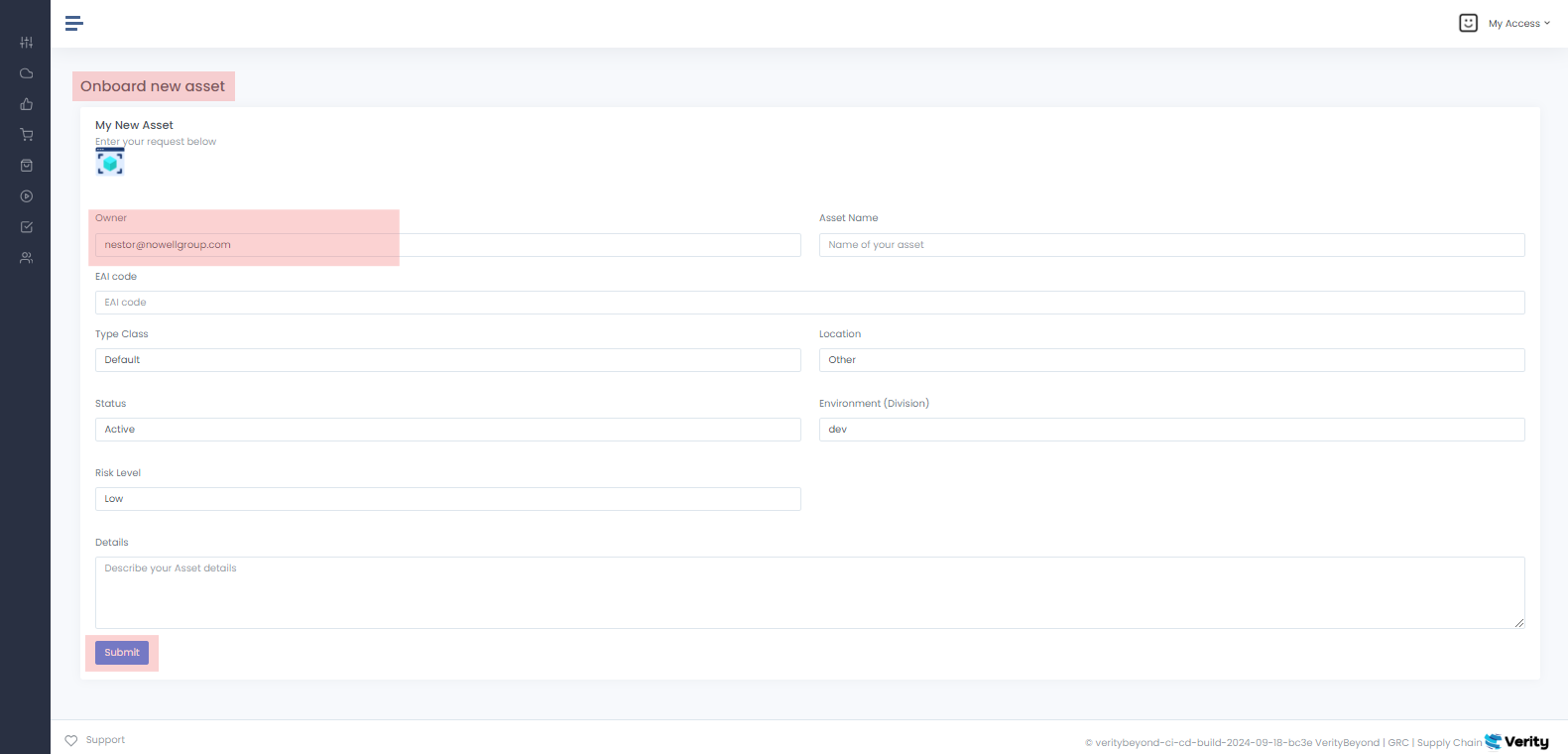
VerityBeyond BPM-GRC | Onboard New Asset
By clicking on the Onboard new asset button
you will see all the details of the new asset. The default owner will be the user who is logged in. Fill in the asset details. You can also create an asset on behalf
of a customer, making the customer the owner of the asset. Customer New asset Manage assets
From the customer page you can create an asset for a target customer or view the customers assets. Assets can be loaded in bulk into the system using a CSV flatfile as well, contact your cloud administrator for this access entitlement
 Asset Environment Division
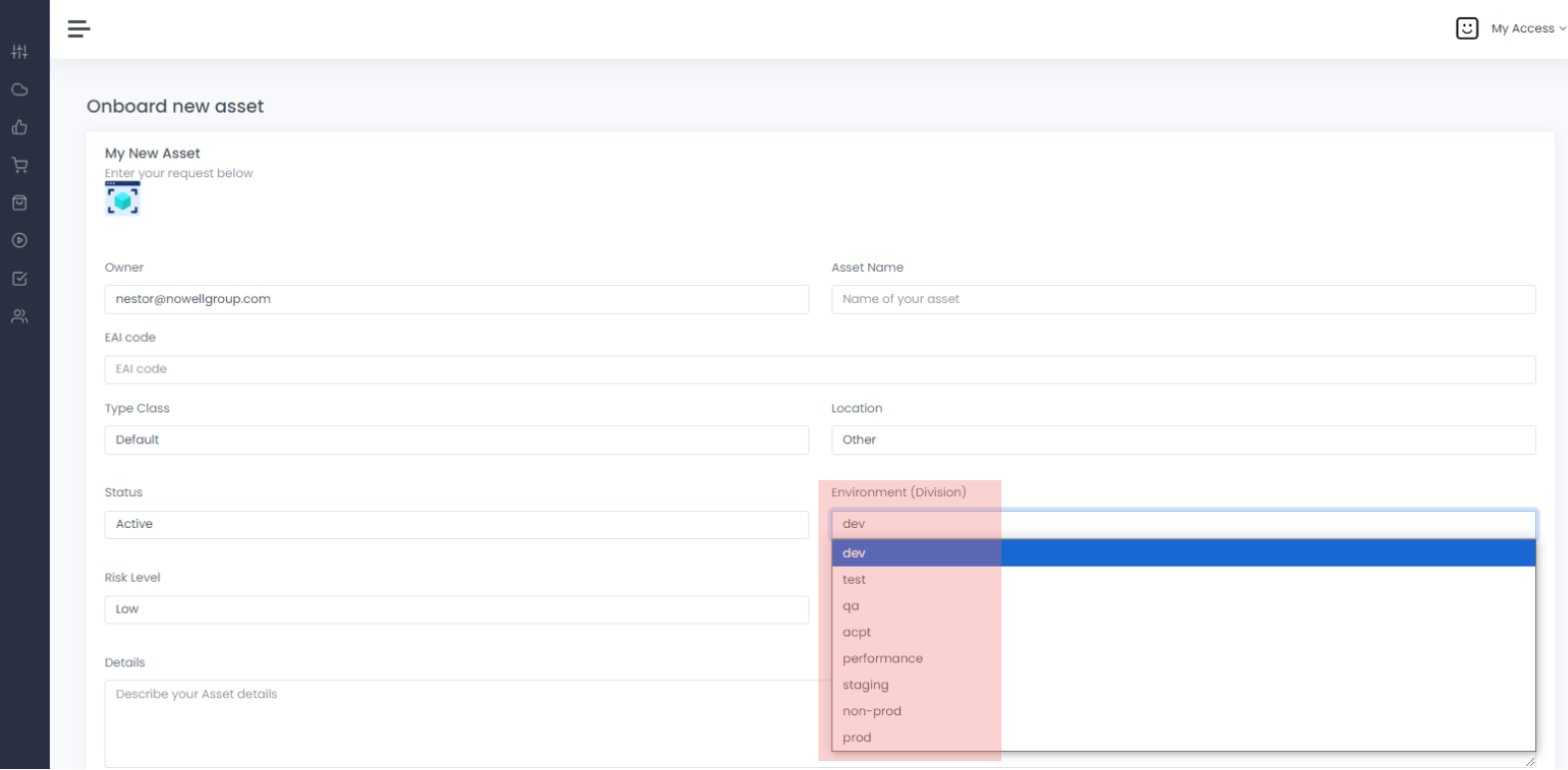
New Asset Environment Division
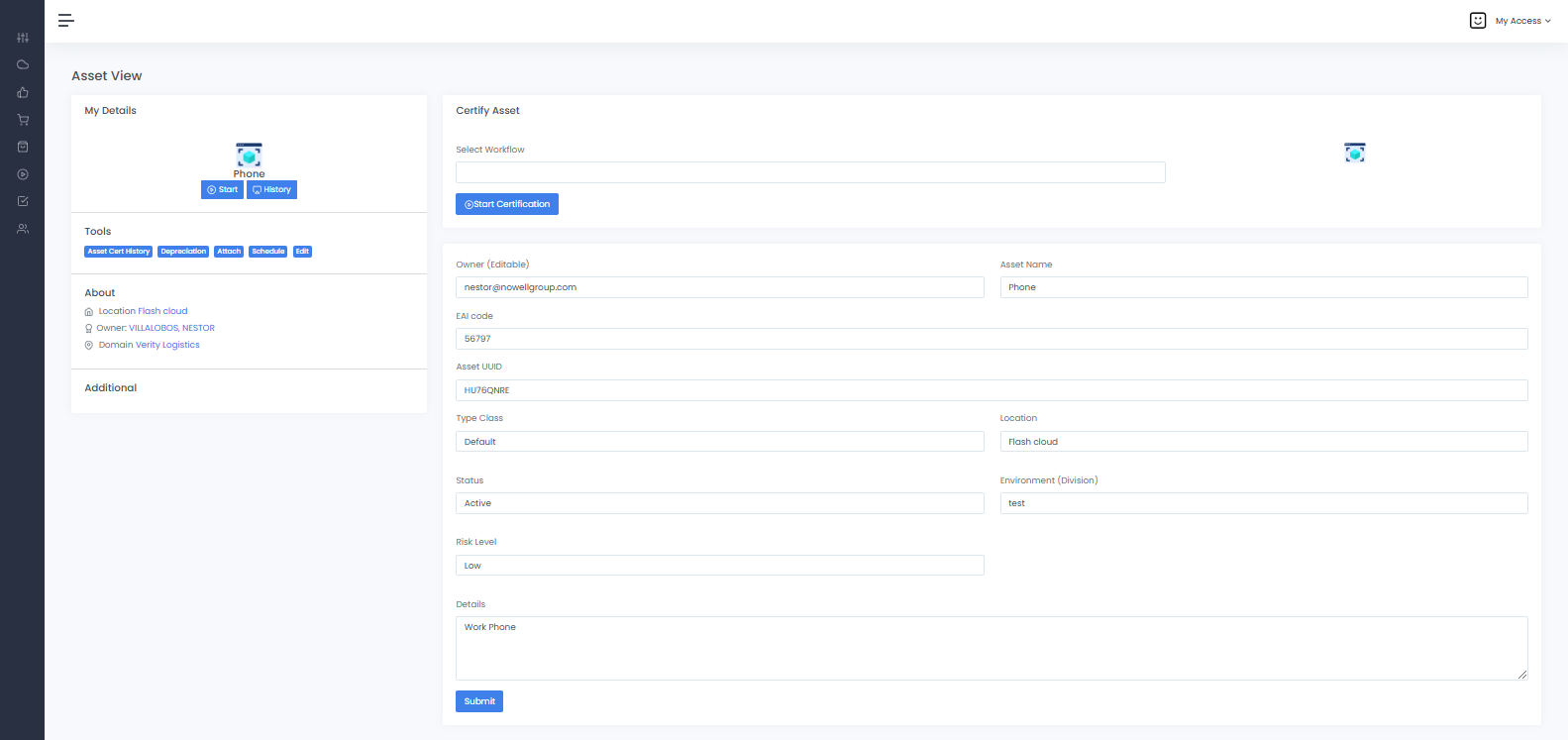
Screenshot of a new Request to the client.The asset environments include: dev, test,qa,staging, non-prod, and prod. For quality control we can designate what level of environment the asset is used for. We can also set the status (active/inactive) and risk level of the asset. Also we can specify the details of the asset. The EAI code is the enterprise asset inventory code ID for the asset telling us what department or group owns the asset. Risk level tells us level of risk
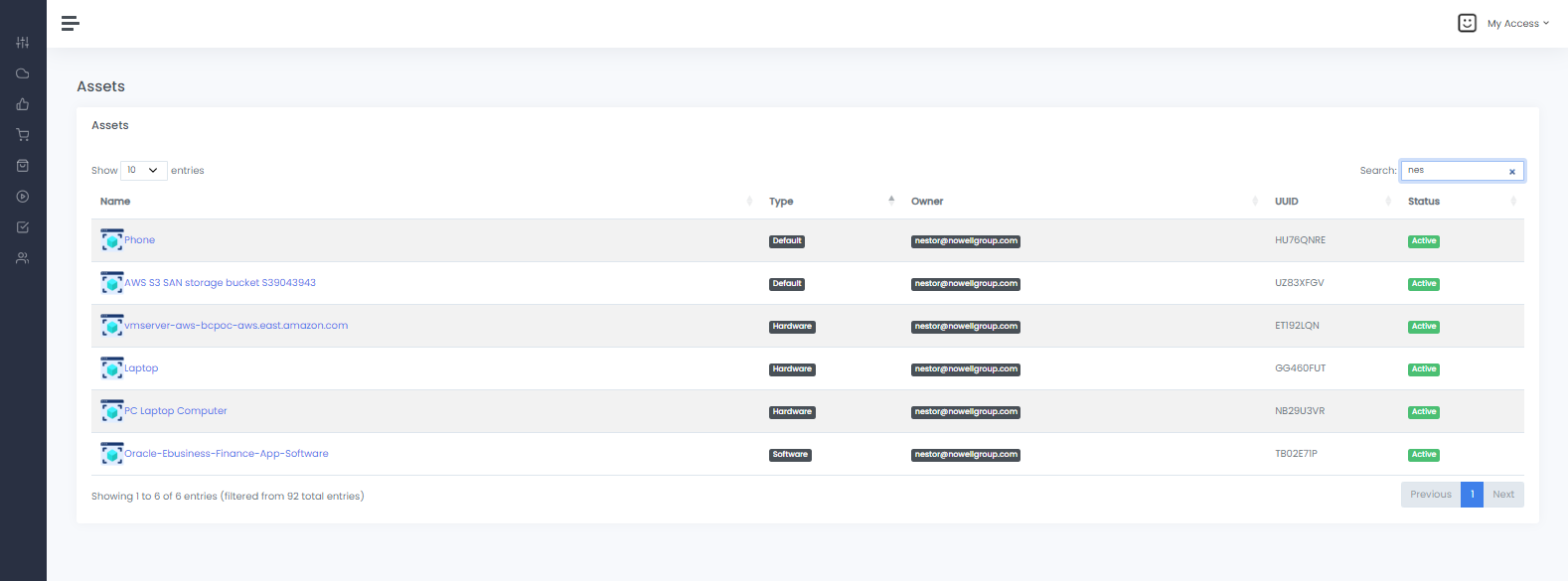
Manage Assets
Screenshot of an existing request in ther system.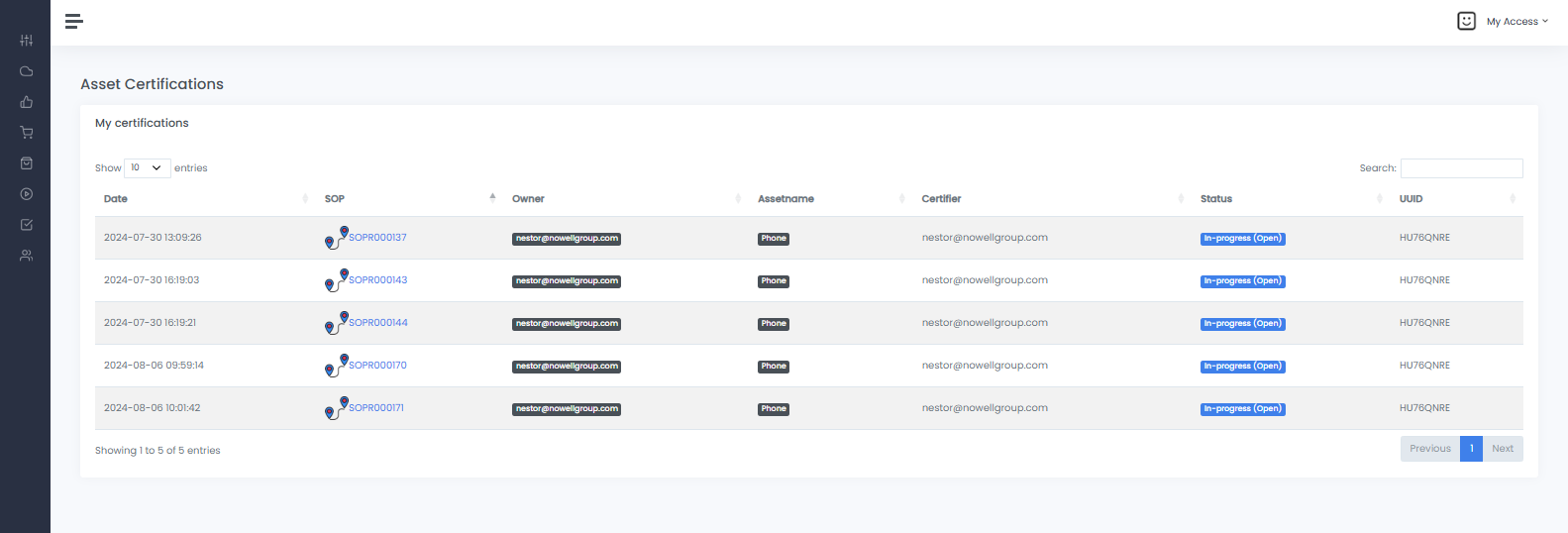
Asset Cert History
Screenshot of the Asset Cert History page for an active Asset.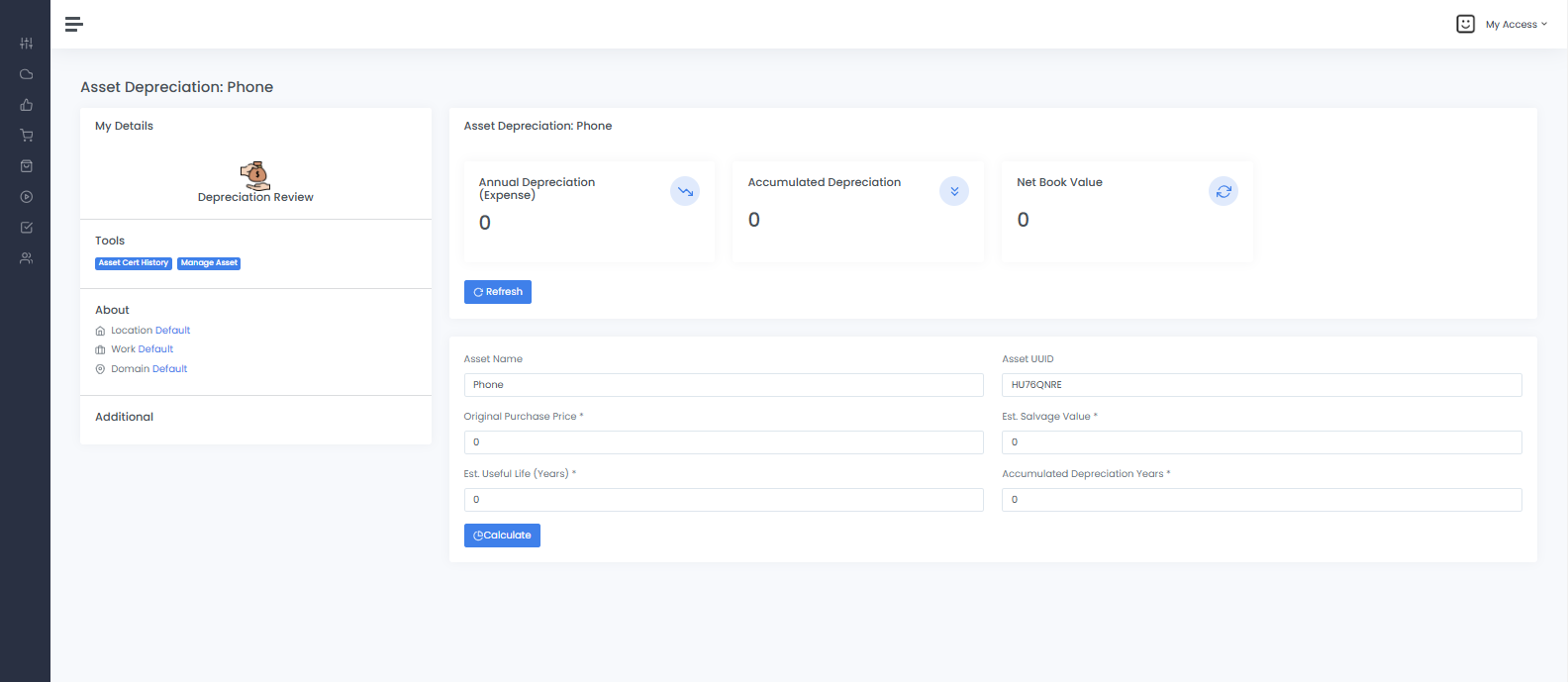
Depreciation & Cyber Quantitative Risk
-
Asset Depreciation:Can be calculated for any given asset. Asset depreciation is used to tell us how any given asset decreases in value over time due to risk, wear, tear or due to incident. These numbers are useful to estimate the value of any given asset over time accurately, and costs required to mitigate those depreciation events. The system allows you to automatically compute these values using the formulas. This is useful for financial services, real estate, energy, manufacturing, and mostly accounting departments -
Cyber Risk Quant:Single Loss Expectancy (SLE) is the exact money a business expects to lose from one single bad event. It uses the formula: SLE = Asset Value (AV) × Exposure Factor (EF). Asset value is the cost of the item. Exposure factor is the percent of the item lost, Annualized Loss Expectancy (ALE) is the expected monetary loss from a risk event over a single year. It is calculated using the formula: ALE = Single Loss Expectancy (SLE) × Annual Rate of Occurrence (ARO). Businesses use it in quantitative risk analysis to prioritize security budgets and justify control costs. Veritybeyond allows you to calculate these values for your assets. This can be used for cybersecurity, asset safety, prioritization of spend / expenses, to link spend with areas of highest risk to property or life
Integrations - SailPoint IAM, ServiceNow ITSM
-
SailPointintegration is used to bring online the application and source data from SailPoint IdentityIQ or IdentityNow as digital assets that are managed under VerityBeyond. From here users can associate their other assets like VM hardware, cloud objects, databases, SDN switches, etc to the assets. Sailpoint handles the identities, however ALM from verity will sync the data so you can add the asset information for the applications and run the workflows for them accordingly. Sailpoint in this case becomes the authoritative source for Application data, which is managed in Verity according to the GRC workfow that the CIO sets as policy -
ServiceNowintegration is used to flow SOP workflow cases that have a remediation queue. ServiceNow supports the concept of an ITSM queue. Tickets are assigned to the queue and serviced. If you assign a SNOW queue to a VerityBeyond workflow definition, if that workflow is run and there is an issue, a ServiceNow ticket gets generated and assigned to the ServiceNow queue. Enterprises that use ServiceNow for ITOps and facility ops might find this useful
Digital Asset Fields
Each asset has fields that have a clear meaning and purpose as follows:-
Asset name:This is the common name of the asset. Note an asset can belong to an internal BPM user, or it can belong to an external CX customer application user. Users have access to see their own assets, and assets belonging to their roles EAI CodeEnterprise Application Inventory code is the code name that is assigned to the asset. EAI codes are used to group assets by application, use department or governance owner. For example financial digital assets for quality assurance could be called FINAXQAAsset UUIDVerityBeyond automatically issues every distinct asset in the domain a unique system generated UUID. This alpha-numeric string value is unique to identify the asset in the enterpriseType Classthis selection combobox is tells us what "type" of asset this is. Custom classifications can be introduced into VerityBeyond by asset administrators for their custom use case. Also further it is possible to associate a type of class with a default BPM workflow, so that if that asset is certified, the default workflow selected will be the one associated with the asset class. For example if you have a financial asset class, you can associate a 'finance-review workflow' with that class so that anytime you open an financial asset, the default financial workflow will be pre-selected. This can be adjusted in Certification automation --> certification options --> Assign asset class workflow mapping setupLocationrepresents the domain site where the asset is locatedParent (Entity-relationship)represents the hierarchy relationship or an entity relationship model. A parent asset can be another asset that is either a Facility or an Application. In cases where you want to model a case where an asset belongs as a member of a superset/parental asset as an entity or sub-entity within the larger set, you can assign a parent to an asset. This is useful to help organize components of a larger entity. For example in IT: an application can have database, VMS, certificates, backups, software as entities related to a parent asset etc. For finance perhaps an investment account could have categories within that account that are managed differently; or perhaps for a physical asset an airplance could have engines, electricals, internal equipment and you can model the relationship in ALM, you can also associate workflows with each asset classification typeSailPoint IntegrationIf the sailpoint integration is configured, the system will automatically ingest sailpoint Applications or Sources as Application assets. From here you can link your digital assets to the sailpoint application
Manage My Assets
-
Click on
My Assetsto show all request in the database, then click on the name of the request.